
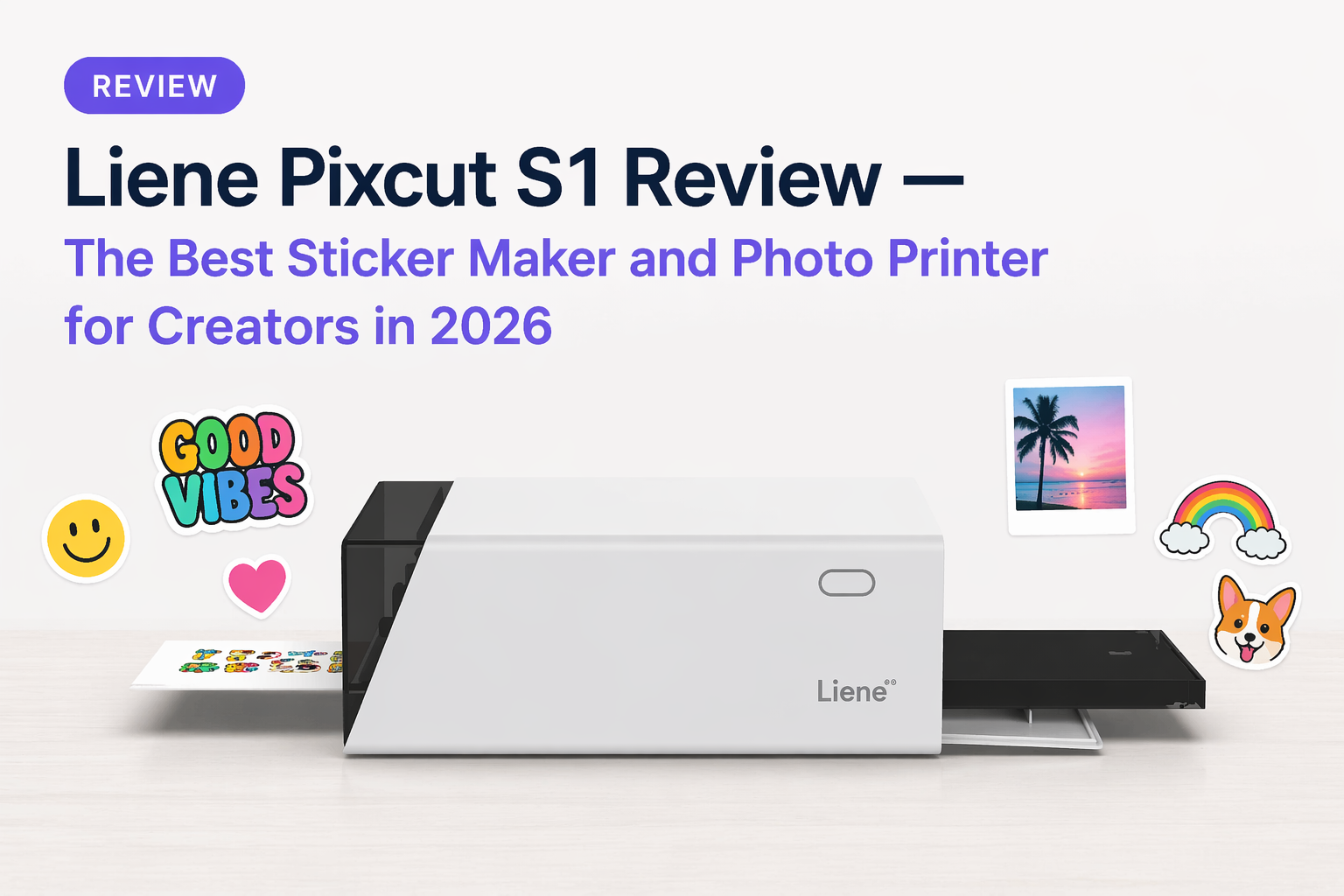
Liene Pixcut S1 Review — The Best Sticker Maker Machine for DIY Creators in 2026
If you make stickers, you already know the pain. Print on one machine, cut on another, weed the excess, hope the alignment is right. It takes forever. The Liene Pixcut S1 fixes all of that — it prints and cuts in a single machine, automatically, in under two minutes. No scissors. No Cricut. No manual path tracing.
We carry the Pixcut S1 at The Hadler Store and this is our honest breakdown of what it does, who it's for, and whether it's worth it.
Watch the Pixcut S1 in Action
What Is the Liene Pixcut S1?
The Pixcut S1 is a two-in-one sticker maker and photo printer designed for home and desk use. It connects to your phone via Bluetooth, you pick an image in the Liene app, hit print — and 90 seconds later a finished, cut sticker comes out the other end.
No other machine in this price range does both printing and cutting automatically in a single pass. That is the core reason the Pixcut S1 has built a following in the DIY and sticker-making community.
Key specs:
- 300 DPI dye-sublimation printing — vivid, professional-quality colour
- 0.1mm precision blade — kiss cuts without cutting through the backing
- AI auto-cutting — detects subject edges automatically, no manual path drawing
- Bluetooth 5.0 — connects to iOS and Android
- Print size — 4×6 inch (photo) and 4×7 inch (sticker)
- 4-layer lamination — waterproof, fade-resistant, scratch-resistant output
- Print time — approximately 90 seconds per sheet
Who Is the Pixcut S1 For?
If any of these describe you, the Pixcut S1 was built for you:
- Sticker makers and small shop owners — make custom stickers on demand without outsourcing to a print shop. Sell on Etsy, at markets, or include with orders
- Artists and illustrators — turn your digital artwork into physical stickers in minutes. Print your designs, your characters, your lettering
- Content creators and TikTokers — merch drops, fan stickers, packaging inserts. The Pixcut S1 makes small-run custom product creation accessible
- Journalers and scrapbookers — print custom stickers from your photos, doodles, or downloaded designs to personalise spreads
- DIY enthusiasts — phone skins, laptop stickers, water bottle decals, personalised gifts — anything that benefits from custom print-and-cut
- Students and young creatives — custom stickers for notebooks, lockers, packaging, and gifting without needing a full print setup
The AI Cutting — Does It Actually Work?
This is the question everyone asks. Yes — it works, and it works better than you expect for most everyday subjects.
Upload a photo of your pet, your logo, a hand-drawn character, or a PNG with a transparent background. The AI analyses the image, identifies the edges, and generates the cut path automatically. The 0.1mm blade then traces that path precisely — slicing through the sticker layer without cutting the backing paper, so you get a clean peel-ready sticker every time.
It is not infallible — very fine details and complex tangled edges can trip it up. But for portraits, pets, product logos, icons, simple illustrations, and text — the cut is accurate and clean without any manual adjustment needed.
For images with messy backgrounds, the app has a built-in AI background remover. Upload the photo, remove the background in one tap, then print and cut the subject only.
Print Quality

The Pixcut S1 uses dye-sublimation printing — the same technology used in professional photo booths and portable photo printers. It lays down colour in four passes (cyan, magenta, yellow, plus a clear protective lamination layer), producing prints that are vivid, accurate, and water-resistant straight out of the machine.
At 300 DPI with support for 16.7 million colours, the output is noticeably sharper and more colour-accurate than inkjet sticker printers at this price point. On Liene's dedicated sticker paper, colours stay punchy even after cutting and peeling.
The lamination layer applied during printing means stickers are waterproof, scratch-resistant, and fade-resistant — suitable for water bottles, outdoor use, and anything that gets handled regularly.
Custom Sticker Ideas — What Can You Make?
The Liene app supports a wide range of creative uses:
- Custom pet stickers — upload a photo of your dog or cat, remove the background, print a kiss-cut sticker
- Self-portrait stickers — AI avatar tools let you turn a selfie into a cartoon, anime character, or stylised version of yourself
- Brand stickers — logos, product labels, thank-you stickers for small business packaging
- Photo prints — 4×6 prints for frames, albums, gifts, and photo walls
- Phone skins — built-in templates for popular phone models
- ID and passport photos — multiple country formats supported
- Puzzle prints — print a photo as a custom puzzle template
- Collages — arrange up to nine images per sheet

How to Set Up the Pixcut S1
Setup takes under ten minutes. Watch the official setup guide below:
The steps are straightforward:
- Connect the power cable and turn the machine on
- Download the Liene Photo app from the App Store or Google Play
- Enable Bluetooth on your phone
- Open the app and follow the pairing prompts
- Load your paper cassette — sticker paper for stickers, photo paper for prints
- Design or import your image in the app and hit print
Most users print their first sticker within ten minutes of unboxing. The app interface is clean and intuitive — no learning curve worth worrying about.
What Paper Does It Use?
The Pixcut S1 is calibrated for Liene's own paper stock. Third-party paper is not recommended — colour output shifts and cutting accuracy drops significantly on off-brand paper.
We carry two paper types at The Hadler Store:
- Liene Sticker Paper Pack — 4×7 inch, peel-and-stick backing, designed for the Pixcut S1's kiss-cut mode. Each ink cartridge covers approximately 36 sheets
- Liene Photo Paper Pack — 4×6 inch, for photo prints. Same dye-sublimation quality, without the adhesive backing

Budget for ongoing paper costs if you plan to use the machine regularly — it is the main running cost of ownership.
Honest Verdict — Is the Pixcut S1 Worth It?
For the target audience — sticker makers, small creative businesses, DIY creators, and anyone who wants to make custom stickers without a multi-machine setup — yes, the Pixcut S1 is worth it.
The AI cutting works. The print quality is genuinely good. The setup is fast. The app is intuitive. The output is waterproof and durable. For hobbyist and semi-professional sticker production, it removes more friction from the process than any other single machine at this price point.
The limitations are real — it is compact format only, the sticker adhesive is repositionable rather than permanent, and paper costs add up. But if your use case is custom sticker making, small-run product labels, or on-demand photo printing from your phone, the Pixcut S1 earns its place on the desk.
Frequently Asked Questions
Does the Pixcut S1 work with any paper?
No — it is designed for Liene's own 4×6 and 4×7 inch paper stock. Third-party paper will affect print quality and cutting accuracy.
Does it need a computer?
No — it connects entirely via Bluetooth to the Liene app on iOS or Android. No computer required.
How long does each print take?
Approximately 90 seconds to 2 minutes per sheet, including printing and cutting.
How many prints per ink cartridge?
Each cartridge covers approximately 36 sheets. The app alerts you when ink is running low.
Can I use PNG files with transparent backgrounds?
Yes — upload a PNG with a transparent background and the machine cuts directly to the shape. For non-transparent backgrounds, use the app's AI background remover first.
Is it good for small business sticker production?
Yes for small runs — custom labels, product stickers, packaging inserts, and thank-you stickers. For high-volume commercial production, a professional print-and-cut setup would be more economical.
Does it ship worldwide?
Yes — we ship the Pixcut S1 and all Liene paper packs worldwide from Singapore. Free shipping on orders over $280.
Get the Liene Pixcut S1
Available now at The Hadler Store with worldwide shipping:
Free worldwide shipping on orders over $280.